Pit Crew Board
For competition Saturdays. Your posts, your crew and every event of the season, planned ahead and run on the day from a phone.
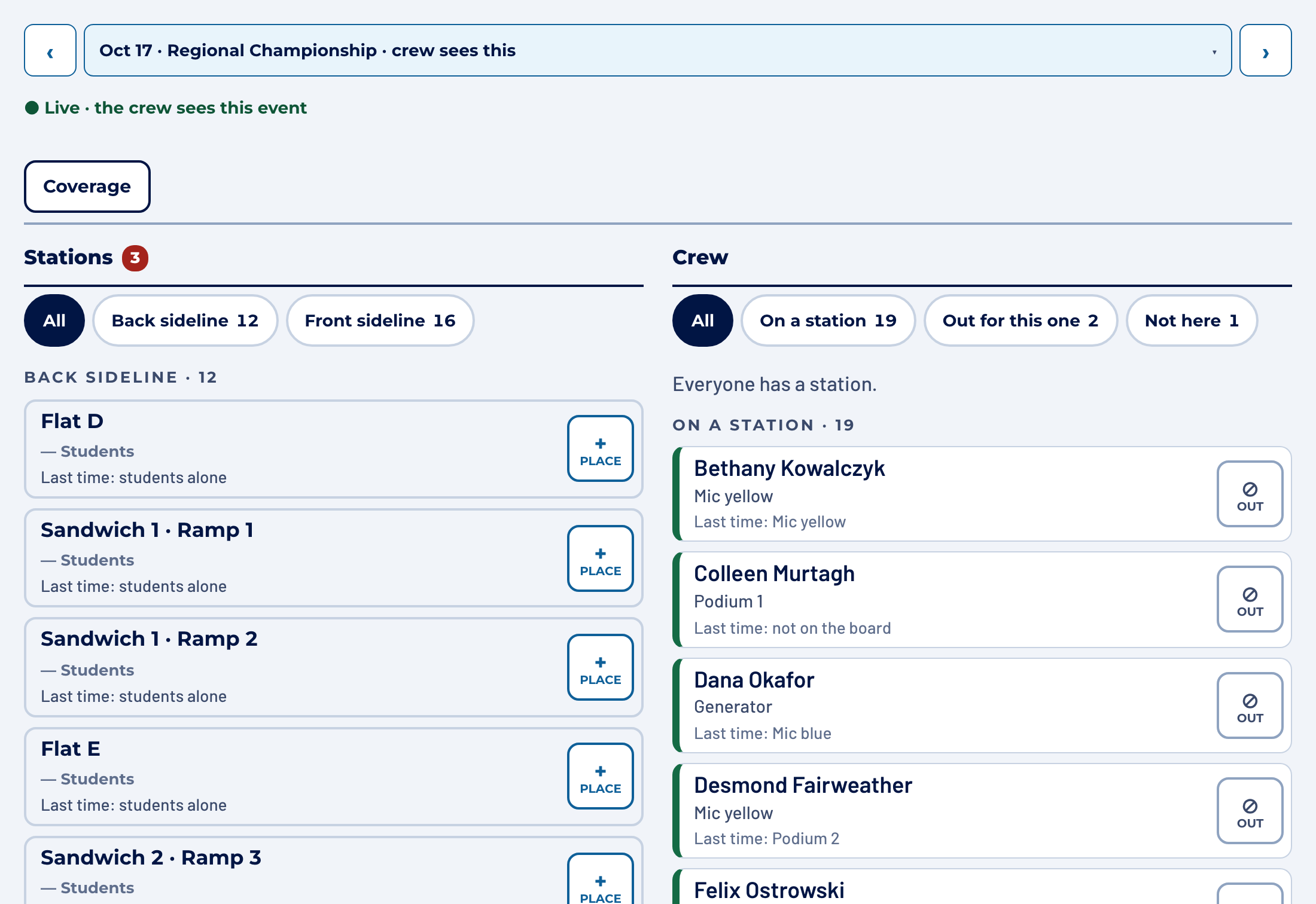
Pit Crew Genie is the load-in board for marching band pit crews. Plan it on Wednesday night, run it from your phone in the parking lot on Saturday, and stop rebuilding the same spreadsheet every week.
Twenty-odd parents are walking across a parking lot. You have a clipboard, a group chat with ninety unread messages, and a sheet you printed on Thursday that was wrong by Friday.
You don’t know yet who is missing. You know who you’ve seen. The marimbas have to be on the field in forty minutes, and the parent who knows how the timpani ramp works is the one who texted to say she’s running late.
Pit Crew Genie puts the whole load-in on one board, so everyone knows their post before they reach the truck and the gaps show up while there’s still time to fill them.
For competition Saturdays. Your posts, your crew and every event of the season, planned ahead and run on the day from a phone.
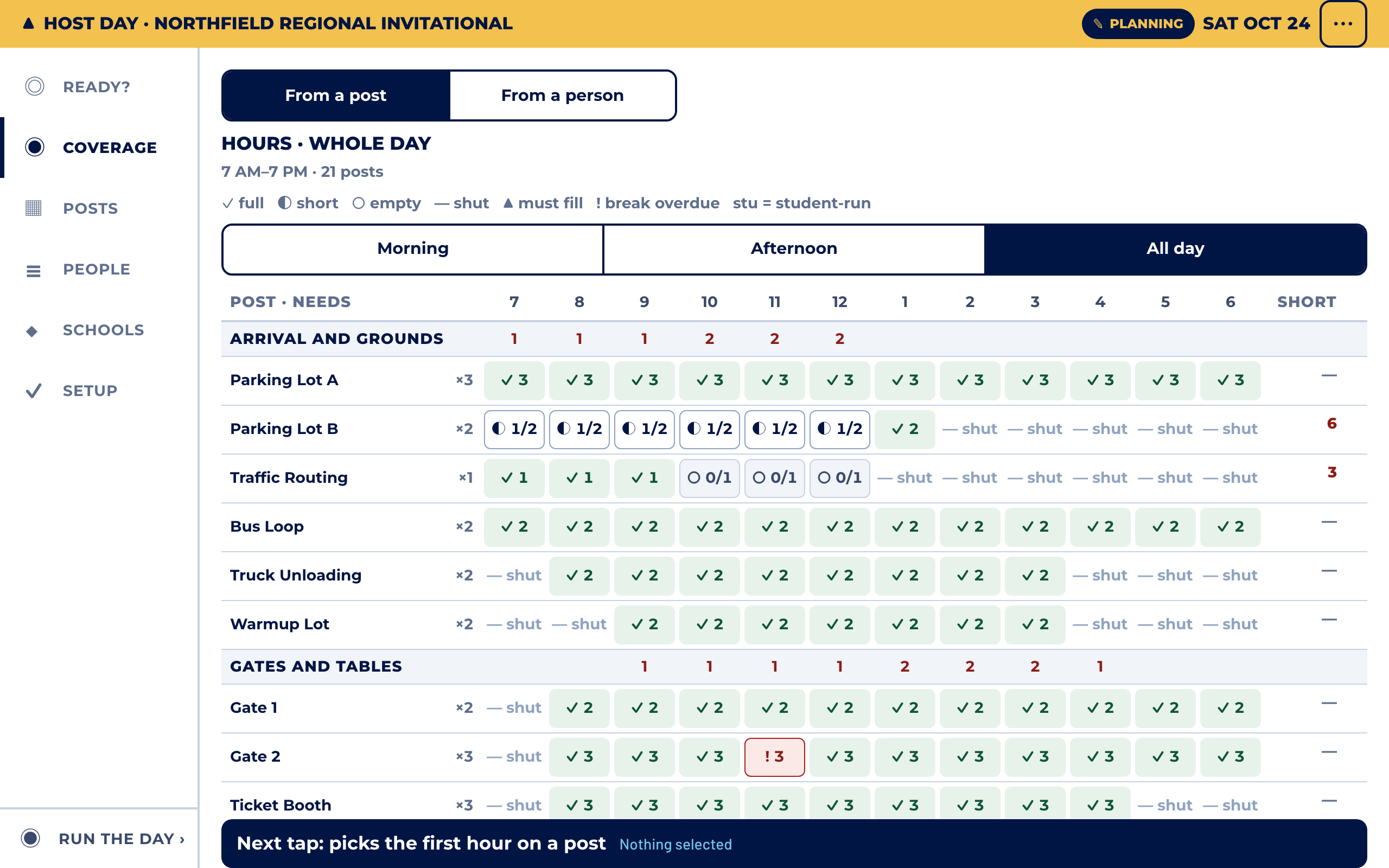
For the day your band hosts a competition. Every volunteer post across a fifteen-hour day, the visiting schools’ schedules, breaks and shift changes.
Wednesday, 9pm
Mark who told you they can’t come. Auto-assign fills the posts from who has worked them before and shows you the result before anything is saved. Short posts are counted, not hidden.
Saturday, 6:50am
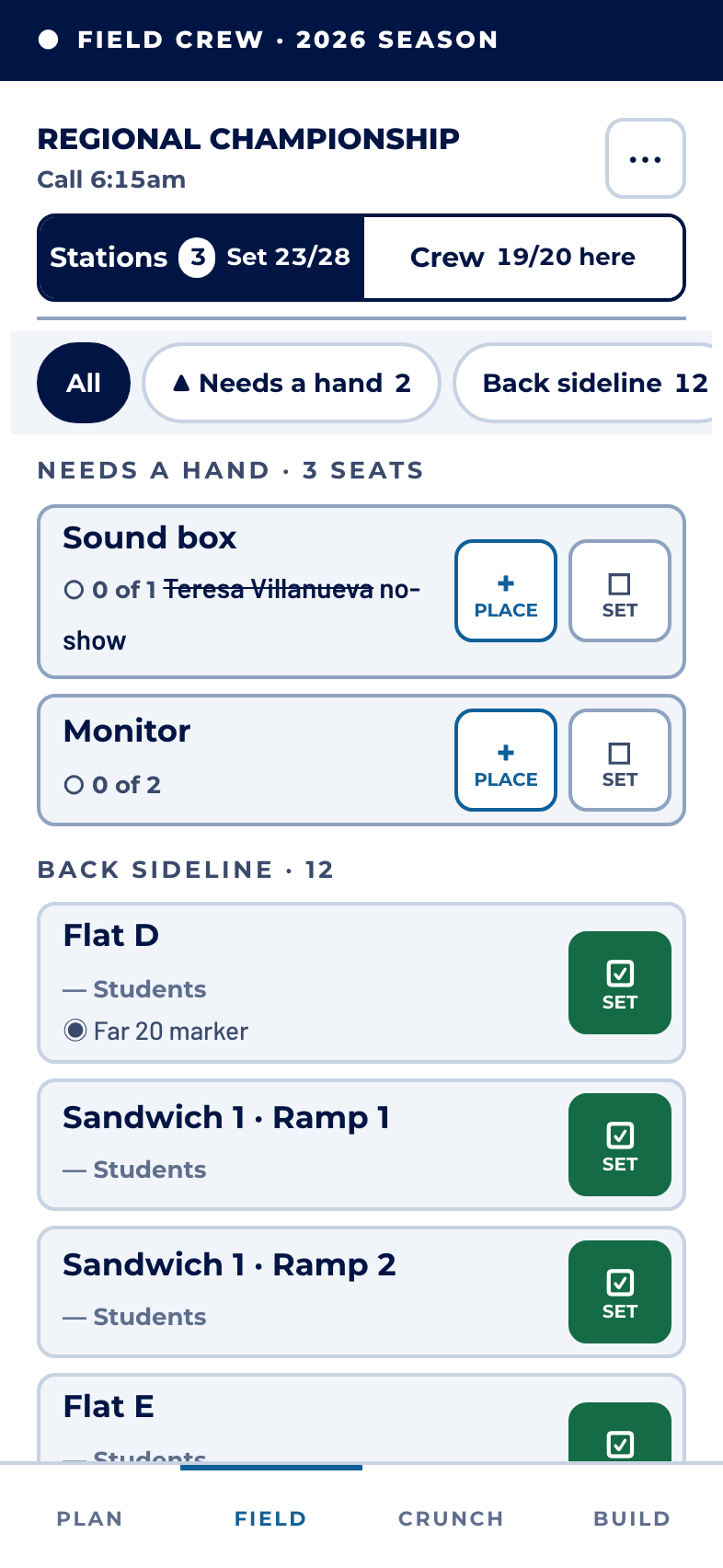
Tap a name when you see the person. A no-show leaves an open post on the board. Tap it and the board lists who could take it, the people with nothing to do first.
7:15am
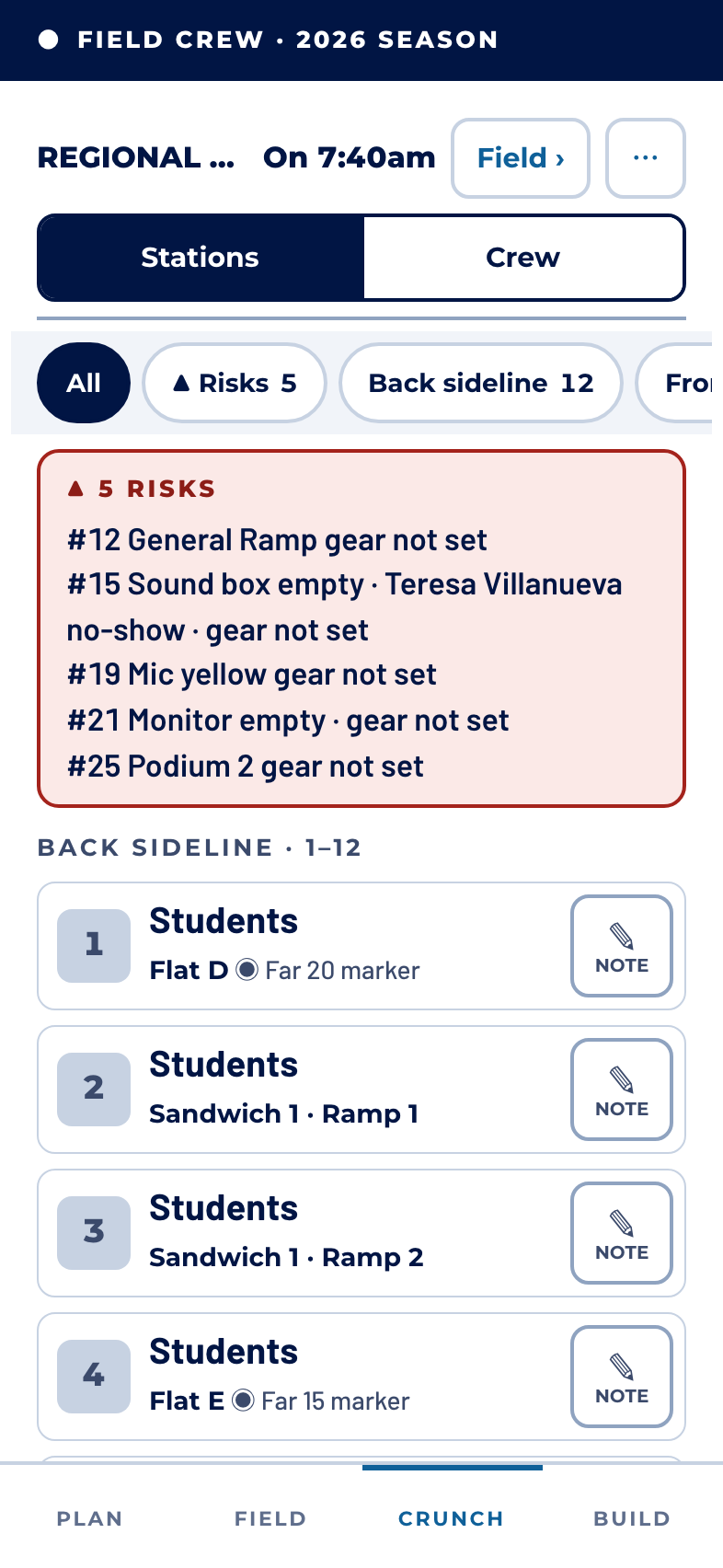
One screen, in walking order: every post, who is on it, and what is still at risk. Turn the phone round and show a volunteer where they’re going.
Monday
Who worked which post is kept. A note about the wobbly wheel is still there in October, and a post only one person knows how to work is flagged before it costs you.
There is no student roster, no student login and no student contact detail. The board holds the adult volunteers’ names and where they’re posted. No phone numbers, and no photos. That is a rule in the design, not a setting someone can change.
What we store, and what we don’tPit Crew Genie started as one high-school pit crew’s board, and it ran their whole fall: 23 volunteers, 28 posts, seven competitions and a home game. Most of what it does exists because a Saturday morning needed it: the open post that says it is open, the note that survives to the next event, the deputy who can take over from the truck.
Nothing for the 2027 pilot season. We’ll talk about price with the crews who used it, once we know what it was worth to them.
No. Each volunteer gets their own link, and it opens straight to their post. You and your deputies get links that can edit.
No. Keep Remind for messages. The board copies the lineup as paste-ready text in walking order, so the message you send on Friday matches the board.
They should. Posts, where they stand, how they’re grouped and who staffs them are yours to name. Nothing about another crew is built in.
Good. Bring it to the demo. For a host day we can load your tracker spreadsheet directly, and we’d rather try it against your real file than a sample.
Any current phone browser. It is designed for an iPhone-sized screen first, and Plan has a fuller layout on a laptop or a tablet turned sideways.
Free for the 2027 pilot season. We’ll walk you through it on a screen share, then send you a link to try it on your own phone.
Request a demo